
How can I change the currency?
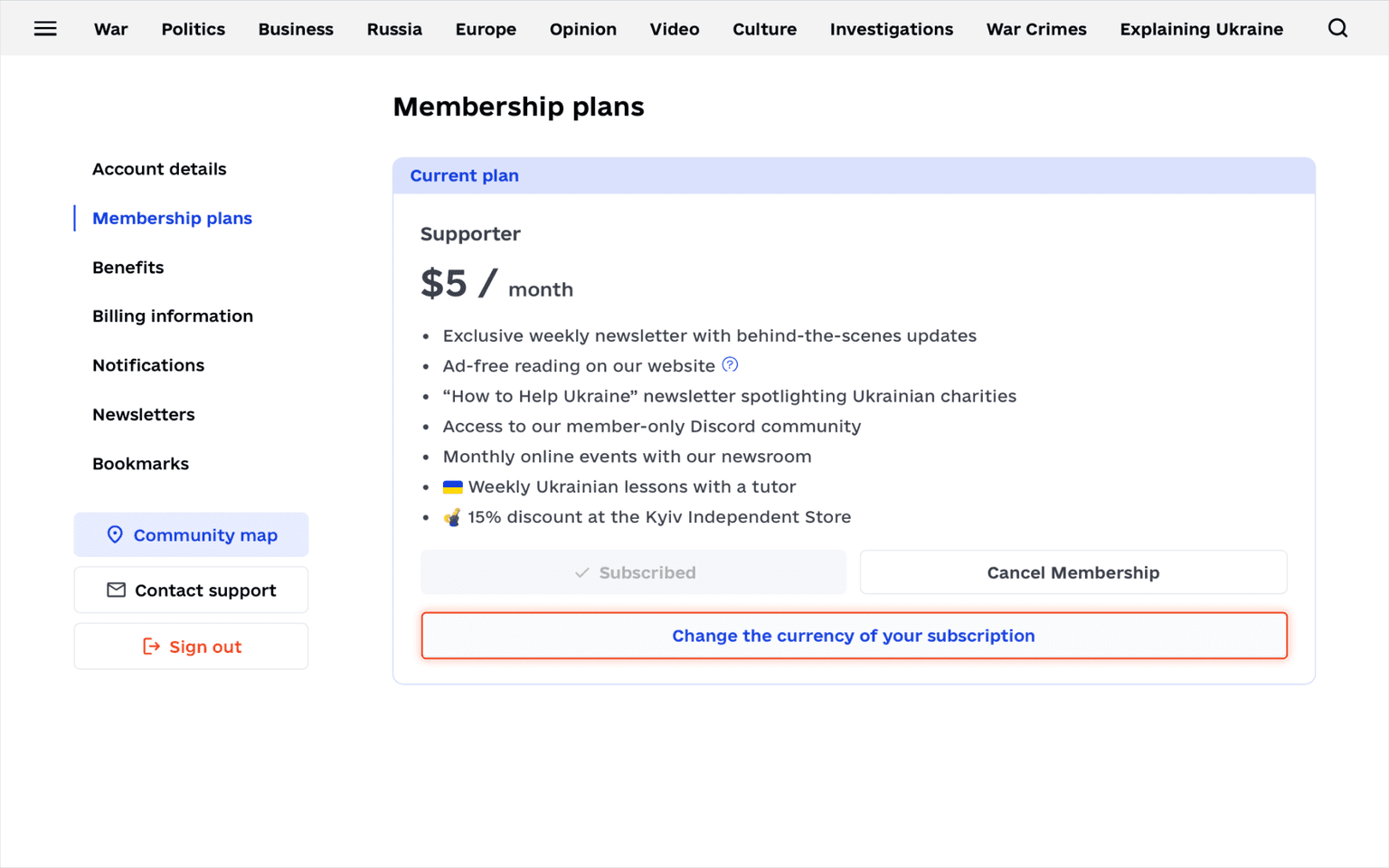
Click "Account" in the top right corner and go to "Membership plans."
In your current plan section, find "Change the currency of your subscription."
Click it, then find your current currency — it will look something like this: "US Dollar - $." Click this, and a small drop-down menu with currency options will appear — choose your currency from a list.
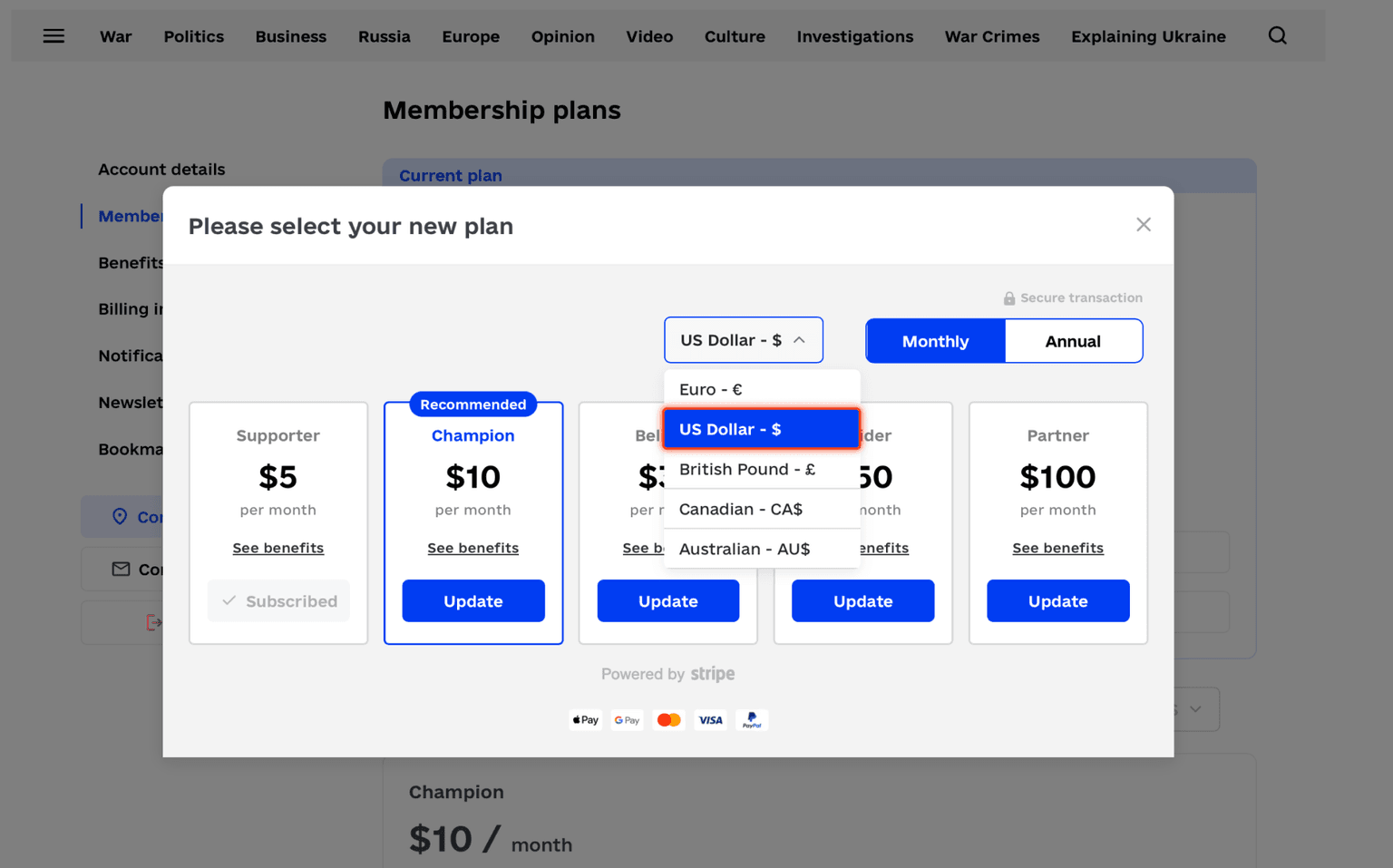
Finally, click "Update" under your current plan.